
In-Game Formats
Gaming ad creative
Plan gaming ad creative around the player’s view, a readable message, clear actions and a destination that matches the promise.
Plan gaming ad creative around the actual player view. Define the placement, give the message one job, check that every apparent control behaves as expected, and compare the ad's promise with its destination.
Brief the player’s view
Record the game or app, device, ad position and point in play. Ask for a normal-speed preview that starts before the ad appears and ends when play resumes; flat artwork cannot show movement, nearby controls or reading time.
Creative decision / Question to settle
- Message
- What should a player understand after one encounter?
- View
- At what size and angle might the message appear?
- Action
- Can the player dismiss, tap or interact with this unit?
- Destination
- What will an interested player find after acting?
A button drawn on a virtual sign does not make that sign clickable.
For each market version, label the intended language and destination in the review pack. Reviewers then assess the right asset against the right destination.
Treat the destination as part of the brief, not a separate hand-off. Give reviewers the exact destination the player will reach so they can compare its content with the creative and identify a mismatch before approval.
Keep local versions consistent
When adapting creative for different markets, review language and cultural references in each version; do not assume a direct translation will work. Keep wording clear in the player’s view and suited to the local context.
Compare each version with the core brand message, and resolve any difference between the local wording and what the destination actually offers.
Make the message readable in context
Put the essential idea in the first useful view. Use a clear hierarchy and cut words that do not change what the player must understand. If the asset has sound, check that its essential message also works muted.
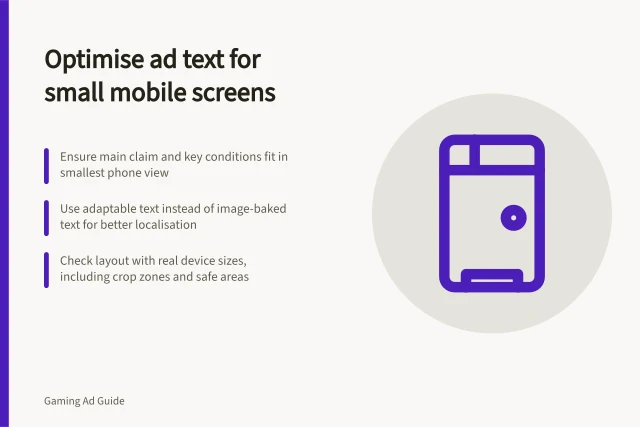
Preview the asset on relevant devices and orientations. Check for cropping, low contrast, busy backgrounds and wording hidden by the game interface.
For a moving game-world surface, inspect plausible player views rather than the flat file alone. For an ad at a brief pause, check the sequence of visible frames and when the player can act.
Do not use small or late-arriving text to qualify a broad offer. If a key condition cannot be read in the available view, narrow the claim or use a placement that can carry it.
Keep actions and promises clear
The advertiser’s action must be distinguishable from game navigation. A fake resume button, or an apparent close control that opens a destination, gives the player the wrong cue.
Check the proposed placement’s actual behaviour and seller requirements before approval; do not assume that guidance for one product applies to another.
The destination should deliver what the ad suggests. For a playable preview, compare any depicted task or outcome with what a new user can reach.
Review claims before approval
For each factual promise, identify what supports it and check that the final wording stays within that support. Keep the substantiation available to the business: the ACCC can require businesses to back up claims about their products or services.
The ACCC accepts reports about possible misleading or false claims. It uses reports to inform education, compliance and enforcement work, and may investigate and take compliance or enforcement action if a business misleads.
Regulatory oversight: ACCC enforcement powers
- ACCC can require claim substantiation
- Businesses must back up factual promises
- Reports accepted from public
- Used for education, compliance and enforcement
- No individual dispute resolution
- ACCC does not provide legal advice or resolve personal claims
Review the final asset
Show the complete preview to someone unfamiliar with the brief. Ask what they think is offered, what each visible action will do and what they expect next.
Resolve material mismatches, then review the revised asset in context, including any localised wording. A change made for readability or a claim can affect the overall impression.
Record the creative version, placement, device, orientation and destination covered by the review. A preview supports a creative decision; it does not establish campaign delivery or prove players understood the message.
The ACCC does not resolve individual disputes about misleading claims and does not provide legal advice.
In this guide
- Designing an ad readable during short gameplay breaksMake a gameplay-break ad readable with a clear first view, one message, visible qualifications and a review of the player flow.
- Explaining a product without mimicking game controlsShow what a product does while keeping game navigation, ad interactions and destination actions clear to the player.
- Matching a playable ad to the real destination experienceCompare a playable ad’s promise with the store or web page, first-open route and product experience a new user can actually reach.